A Deeper Dive into the new Microsoft Foundry Portal and Control Plane
Intro & Context
In 2024, Microsoft made Azure AI Foundry generally available, a service that acts as an umbrella for other AI components available within Azure (e.g. Azure OpenAI, speech & language services, content safety, Agent Service, and others). It’s slightly unique in a few ways; it combines click-ops / low-code elements in being able to deploy models and agents through the GUI, has a project and hub structure that doesn’t apply to other AI services such as Azure Machine Learning, has it’s own web address, and I have always thought it looks and feels quite different to other Azure services.
At Ignite (17-21 November 2025), Microsoft announced a variety of Foundry updates including a new Foundry Portal and Control Plane so I thought it prudent to share a few thoughts based on my experience with it.
What's new?
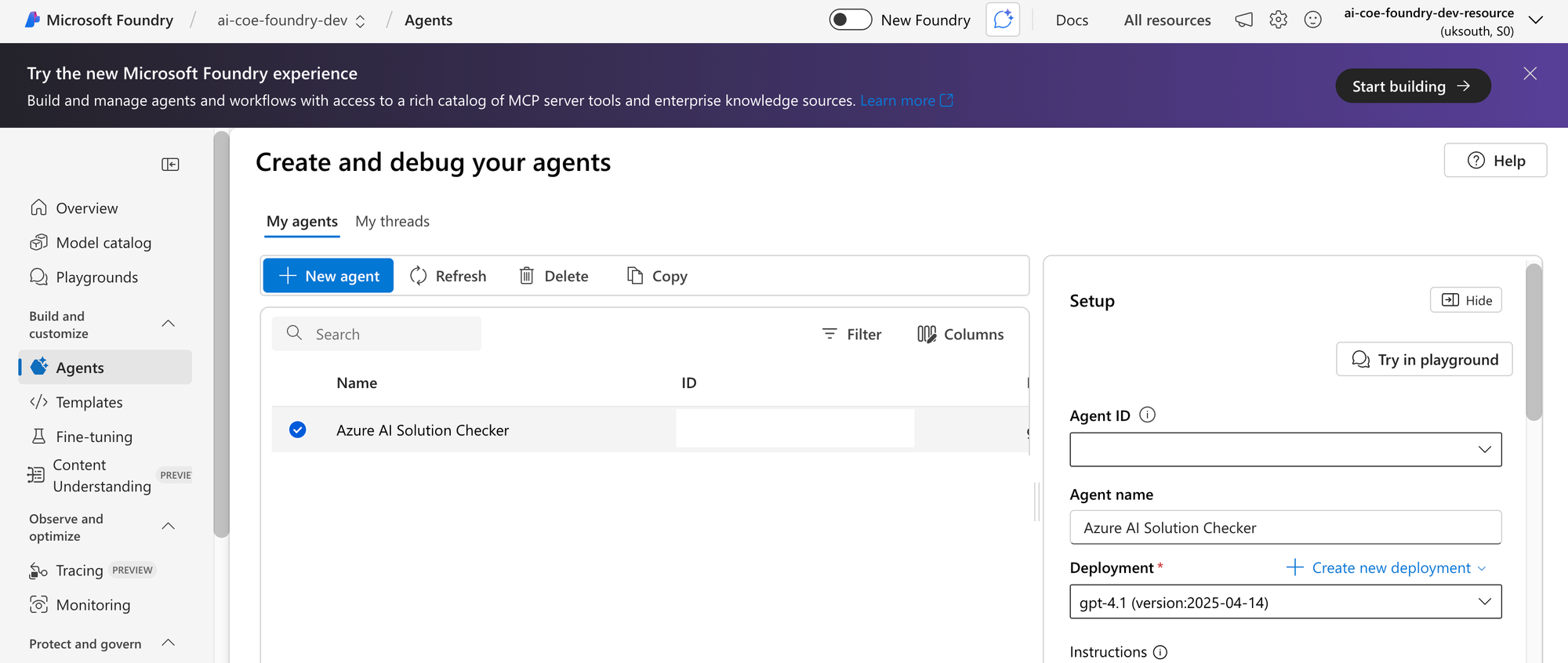
Regarding the portal UI, below is a snapshot of the Foundry portal we’ve been working with for the last while;
It’s worth browsing the book of news from Ignite 2025, but the major foundry updates include:
- Anthropic models are now available in Foundry. Though Claude can be enabled in the M365 Copilot deep research agent, that involves external calls - this new partnership means that anthropic models deployed on foundry are scoped to within your tenant
- A refreshed UI more in line with other Azure experience. This includes Higher level Discover, Build, and Operate tabs compared to the current portal that has about 15 menu sections within a project
- Foundry Control plane including a range of new functionality related to operating and governing agents
- Azure hosted agents enabling Foundry to be the platform for hosting custom agents built using langcgain (and others)
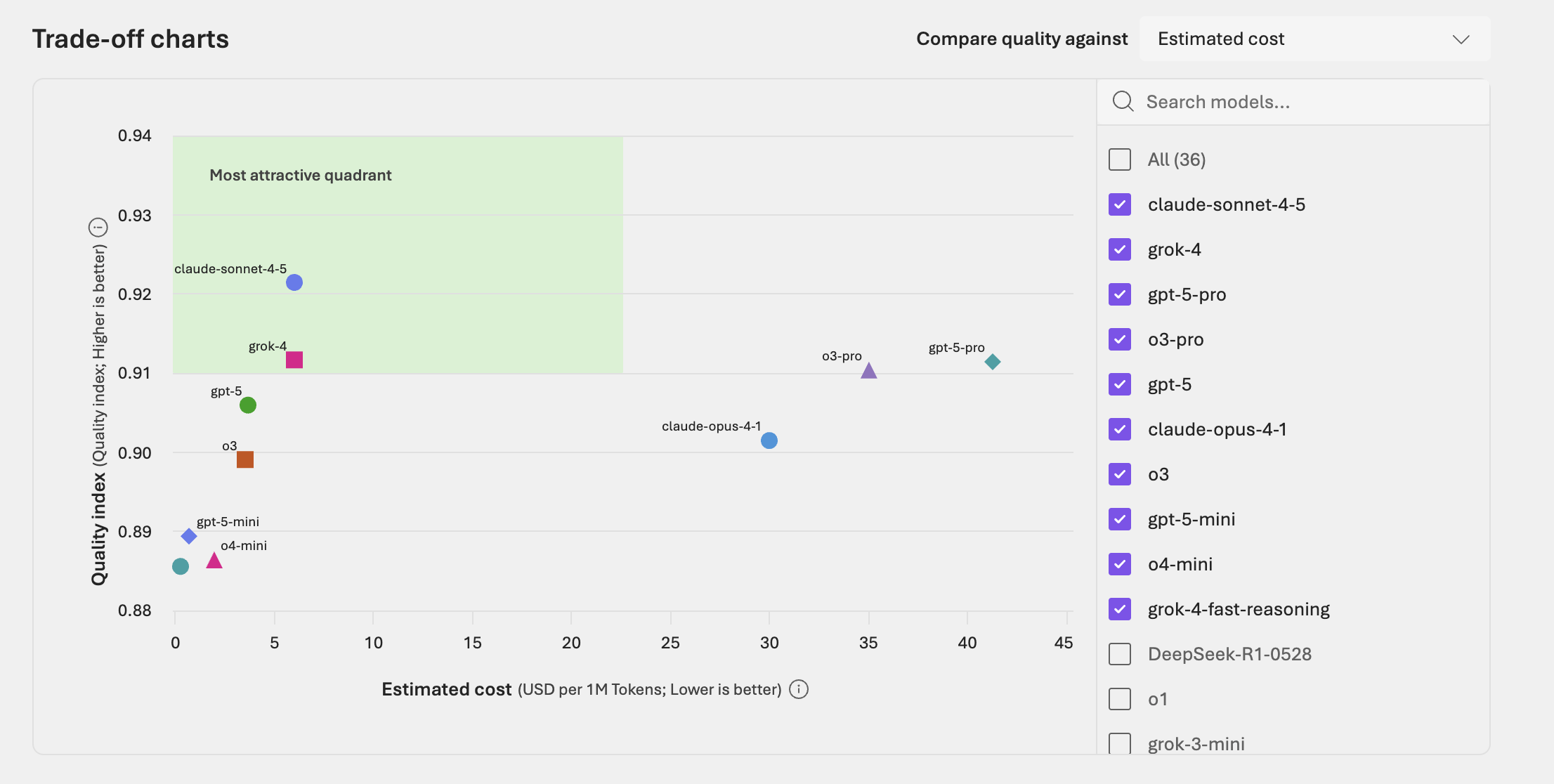
- Model router for automatically select the most optimal model. There’s also an update in the Foundry UI enabling side by side model comparisons and visualize the optimal quadrant (cost vs quality) which I’m assuming is a more static version of the information used in model router
- Azure AI Foundry being rebranded to Microsoft Foundry, including a new monochrome logo

The rest of this blog will focus primarily on the refreshed UI and Control Plane.

What I like

- Control Plane adds exactly the kind of information that has been challenging to surface for agents, including error rate monitoring, task adherence, groundedness, cost. You can also take action directly from the portal, such as blocking Agents not in compliance or with high error rates
- Control Plane also enables some cross-cutting features that feel much-needed. For example, it's not just targeted for developers of individual agents, but you can examine across what's been built and deployed and then remediate in one place such as deploying the same guardrails across all model deployments
- Synthetic Data Generation is possible directly in the UI - I appreciate for many cases this won't simply replace the need to create customised synthetic data and then replace with real data, but it's great for development and even some unit tests
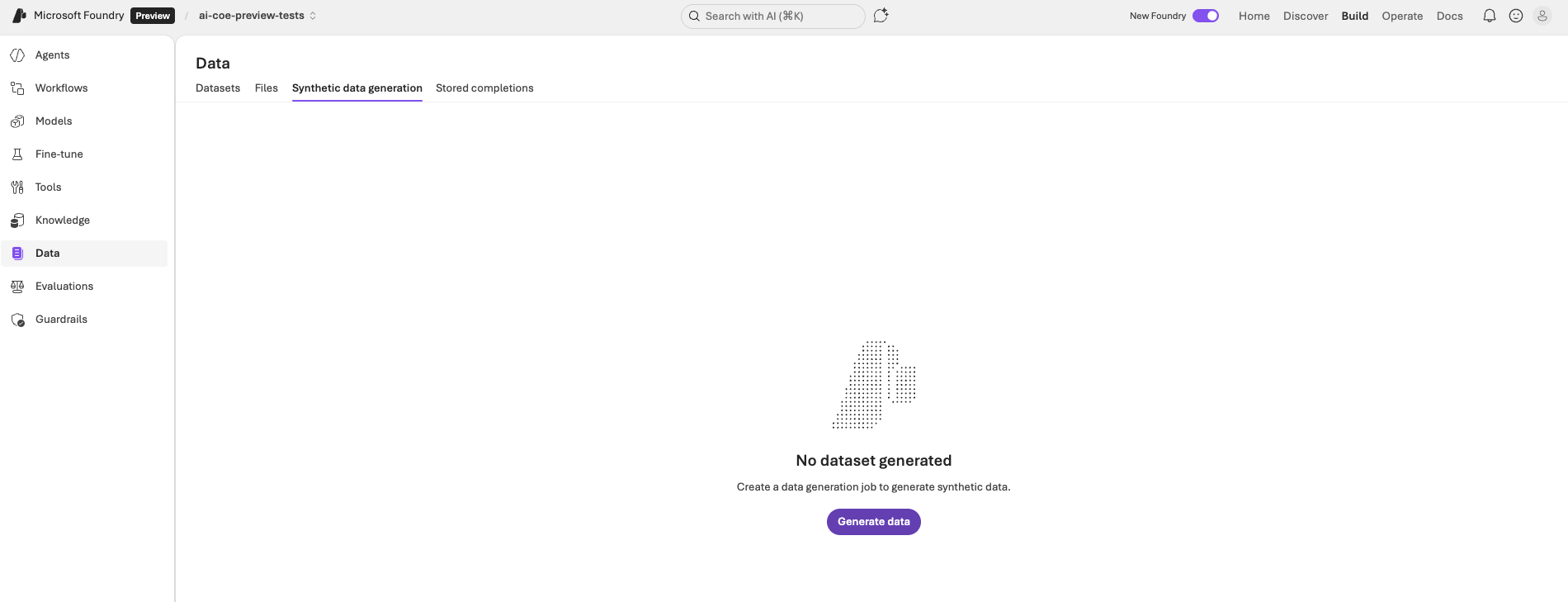
- The first thing that was obvious when I jumped in to the preview was that it just felt more like an Azure / Microsoft product as well as being easier to navigate. It definitely takes a little use to get out of muscle memory habits for those using AI Foundry regularly, but things do feel like they fit together a little easier
- The discover tab won’t be useful at all times, but I do think that it’s a good value add. The current portal requires you to go through the initial steps to create or build an agent / model endpoint for you to see the list of available models, for example, with the other option being to trawl MSLearn documents. I think that being able to browse what’s available easily is a simple but good step
- The new model quality evaluation and trade-off charts embedded in the UI
- The pro-code developer experience doesn’t change. This seems like a very straightforward thing and, frankly, a low bar, but it’s nice that nothing really changes for many developers other than how they navigate to existing assets
- The ability to “Open in VS Code” once you’ve built an agent (note, VSCode in the web only, for now)
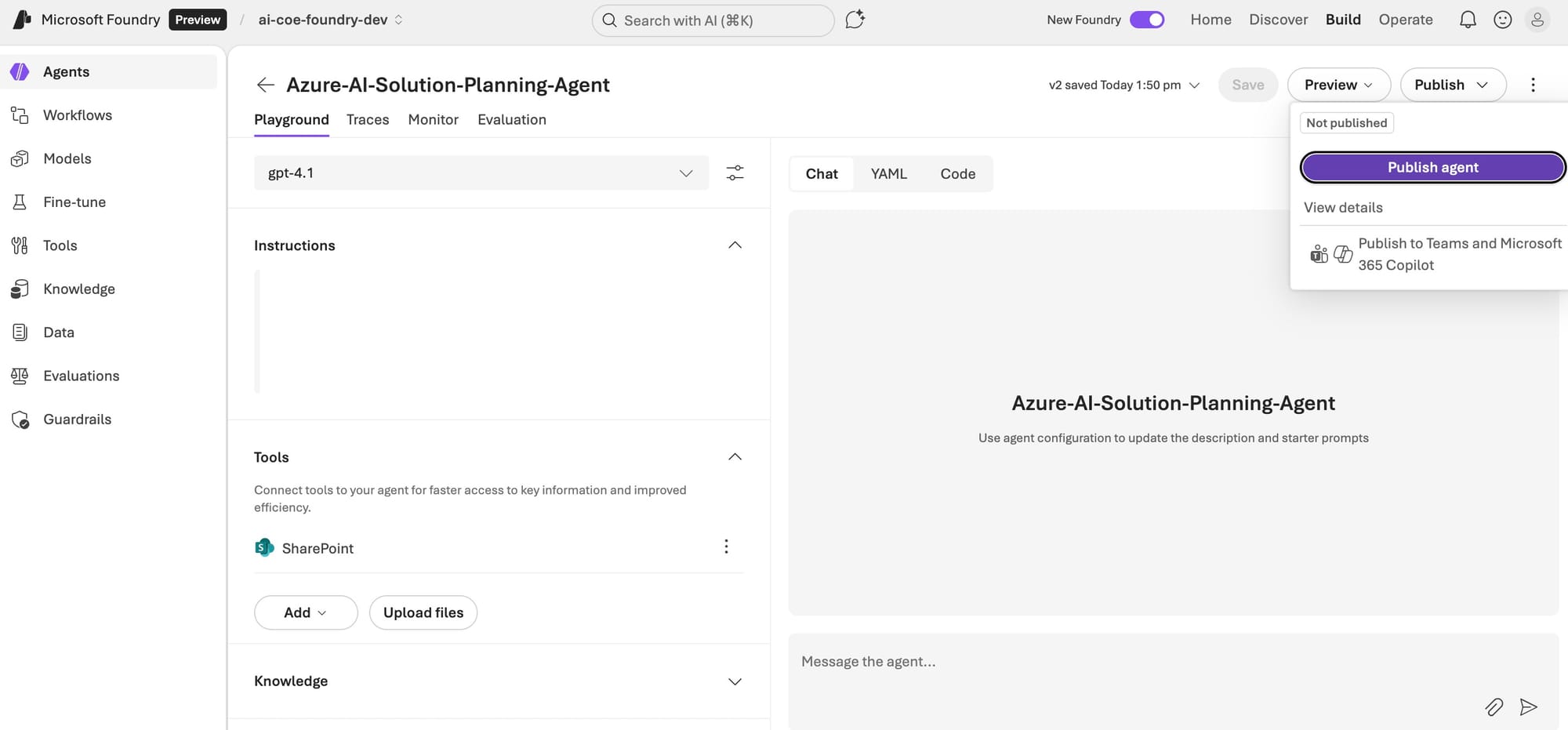
- A quick way to test your agent by deploying to a web app. This is bolstered by being able to publish to teams directly from the portal
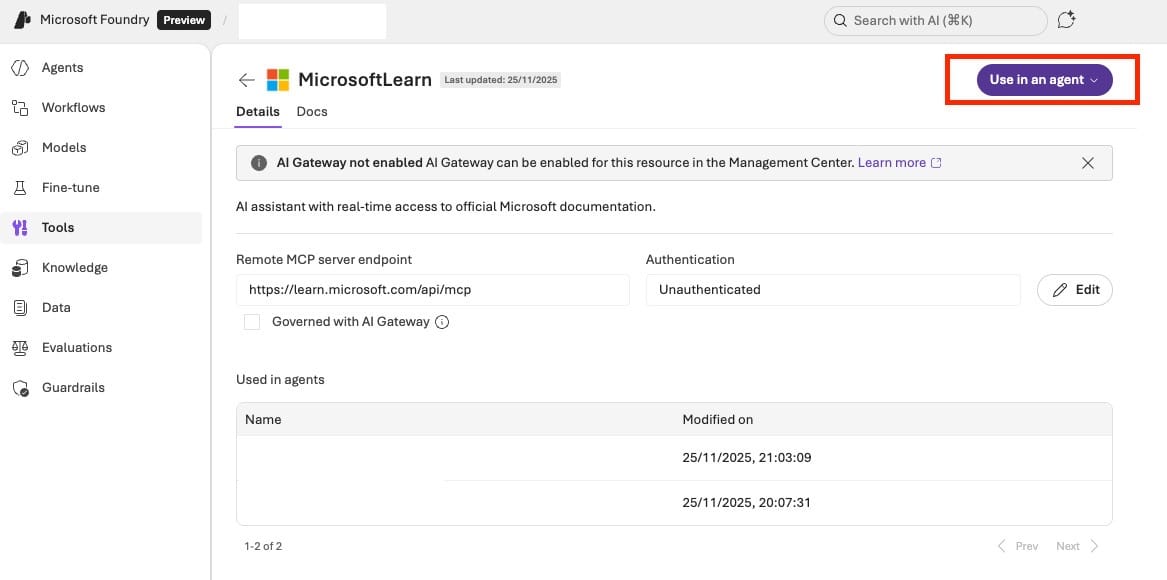
- MCP tools seems to work better - before the update, though you could add a Microsoft Learn MCP server tool in VSCode, I could not get it to work. Now, it can be created in the UI very easily and works seamlessly
- The ability to add tools and knowledge can be done within an agent or within the tools/knowledge menus i.e. you can create a tool and attach it to multiple agents very easily without having to go in to each agent and update
- The new workflows functionality allows you to create connected agent workflows, including samples for sequential and group chat workflows. This is a canvas with the ability to drag and drop agent invocations, set variables, if conditions, etc. very similar to the Power Automate Canvas and is quite intuitive to use
There are some interesting elements I’m looking forward to digging into, like how control plane and the newly announced Agent365 fit together, and surfacing control plane information for both azure developed and the new azure hosted agents.
What I’m looking for more of
It seems overly critical to expect certain items below to be done as part of the new portal, especially if the update feels mostly additive, but there are a few things I’m looking forward to seeing in future updates:
- The “view in VSCode” option is great, but I somewhat struggle to see devs using it a lot when it’s limited to VSCode opening in the web i.e. the primary use is more likely to be interacting via CLI through the web rather than making code changes which would be done locally. I think the clear potential here is when there’s an option to open in VSCode locally
- Being able to preview apps in a web app chat interface has been a great addition. While I think it will be commonplace to either develop a fully custom web app or aim to integrate to Teams / M365, I think it would be really interesting to see this functionality extended to actually deploy a web app through the portal with a basic chat interface rather than just preview
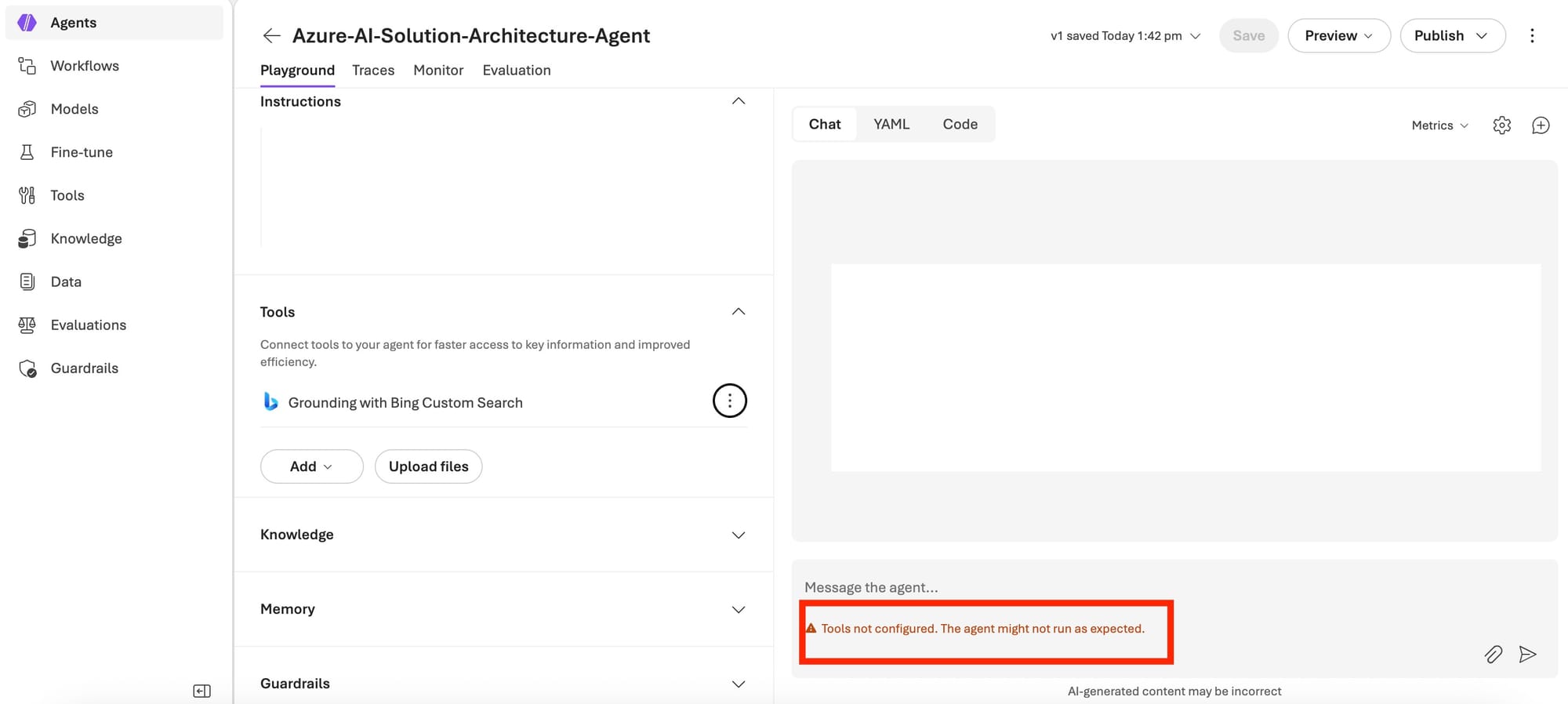
- Improved ease in importing existing agents - in some cases this worked very easily but in others it didn’t e.g. not importing bing grounding or share point configs. The main issues here are that it’s entirely manual per agent, it’s not clear what happens to the existing agents (which you need to delete in the “old” portal), and the tools need reconfigured for every agent - the latter doesn’t seem to make sense given it’s the same tools available. Also worth noting that I think it should just work out of the box ie it’s unclear what a classic agent actually is and why they don’t automatically pull across. The biggest issue is that some things have changed such as the preview bing grounding search being renamed to preview web search, meaning there isn’t consistency
- I recently worked through creating a multi-agent solution in copilot studio, agent framework, and AI Foundry portal to examine similarities and differences. I can see the effort being put in to surface more backend elements of AI Foundry (e.g. VSCode preview surfacing agent YAML code, view in VSCode mentioned above), and once a pro-code solution has been published to Foundry you can make changes directly in the GUI, but I would love to see the ability to export or make visible the underlying code (e.g. Python) for agents created through click-ops
- While I called out the agent workflows above, the only real change in functionality being removed which is linked to this point and the mention of importing classic agents is that you can no longer add connected agents directly to an individual agent. I understand it would be difficult to have this and the workflows, but it means you cannot import classic agents that used connected agents (multi-layered ones), and I did think connected agents were slightly easier to build for first-time users even if they are more limited than workflows. I've even had instances where workflows won't finish their preview / test process after providing a prompt (remaining "in progress" for more than an hour
- A small nitpick, but the agent naming conventions have changed. Spaces weren’t allowed when importing classic agents, only hyphens were allowed
Conclusions
All-in-all, I think the new Microsoft Foundry Portal is a nice step in the right direction, and a clear statement of intent in aiming to be a service for users to centralise agent development and publication. It’s intuitive to use for development, and adds a whole lot of value for new users, but would currently be tricky to jump in to if you already have a large agent footprint. I think that, for now, the best development tooling is still to develop custom code and deploy to Foundry, but the web interface and click-ops deployment is becoming a better experience.
I’m looking forward to seeing updates continue!